Introduction To Reverse Engineering Software
Creator: (2011) Matt Briggs
Instructor: (2013-current) Frank Poz @knowmalware
License: Creative Commons: Attribution, Share-Alike
(http://creativecommons.org/licenses/by-sa/3.0/)
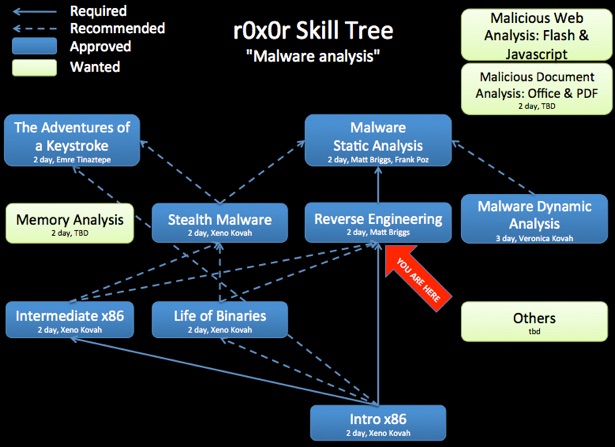
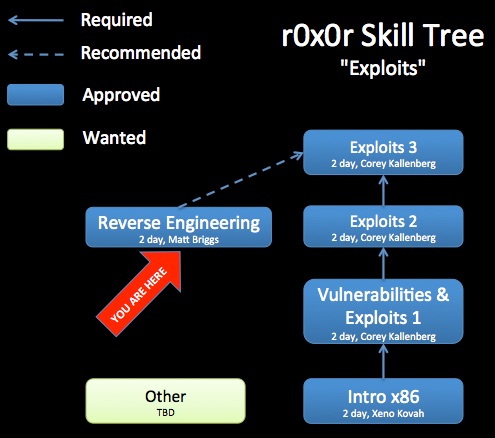
Class Prerequisites: Introduction to Intel x86 or equivalent knowledge.
Lab Requirements: Windows system with IDA Pro (Free 5.0 is acceptable). Microsoft Visual Studio 2008 redistributable package.
Class Textbooks: “Reversing: Secrets of Reverse Engineering” by Eldad Eilam,
“The IDA Pro Book” by Chris Eagle
Recommended Class Duration: 2 days
Creator Available to Teach In-Person Classes: Yes
Author Comments:
Throughout the history of invention curious minds have sought to understand the inner workings of their gadgets. Whether investigating a broken watch, or improving an engine, these people have broken down their goods into their elemental parts to understand how they work. This is Reverse Engineering (RE), and it is done every day from recreating outdated and incompatible software, understanding malicious code, or exploiting weaknesses in software.
In this course we will explore what drives people to reverse engineer software and the methodology and tools used to do it.
Topics include, but are not limited to:
•Uses for RE
•The tricks and pitfalls of analyzing compiled code
•Identifying calling conventions
•How to navigate x86 assembly using IDA Pro
•Identifying Control Flows
•Identifying the Win32 API
•Using a debugger to aid RE
•Dynamic Analysis tools and techniques for RE
During the course students will complete many hands on exercises.
This class serves as the prerequisite for Reverse Engineering Malware

Latest Class Materials

To bypass exe filters, e.g. so this can be sent through email, this is an encrypted zip with a password of “reclass2014”. All of the .exe files have been renamed to .ex_. On Mac OS X 10.6 and below, you will have to open the zip file from Terminal in order to get the password prompt.

Class Materials (2013)

To bypass exe filters, e.g. so this can be sent through email, this is an encrypted zip with a password of “reclass2013”. All of the .exe files have been renamed to .ex_. On Mac OS X 10.6 and below, you will have to open the zip file from Terminal in order to get the password prompt.


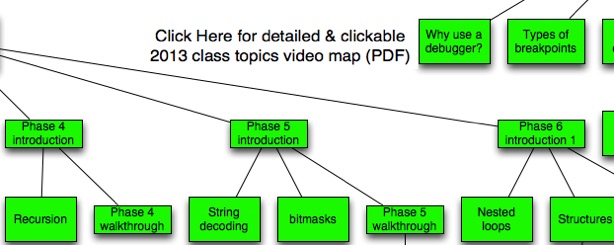
Day 1 Part 1 (5:25) - What is RE and What Can it Tell Me?
Day 1 Part 2 (30:03) - Refresher
Day 1 Part 3 (34:57) - Know Your Tools
Day 1 Part 4 (2:24) - The basic RE algorithm
Day 1 Part 5 (7:14) - Applying the RE Algorithm to the Bomb Lab
Day 1 Part 6 (22:29) - Lab Outline
Day 1 Part 7 (6:33) - Creating the Bomb Lab Answers File
Day 1 Part 8 (6:41) - Phase 2 Introduction
Day 1 Part 9 (28:23) - Phase 2 Walkthrough
Day 1 Part 10 (6:54) - Phase 3 Introduction
Day 1 Part 11 (22:21) - Phase 3 Walkthrough
Day 1 Part 12 (8:57) - Phase 4 Introduction
Day 1 Part 13 (14:08) - Phase 3 Introduction
Day 1 Part 14 (32:40) - Debugging
Day 1 Part 15 (3:32) - Day 1 review
Day 2 Part 1 (15:12) - Day 1 review 2
Day 2 Part 2 (11:21) - Phase 5 Introduction
Day 2 Part 3 (22:14) - Phase 5 Walkthrough
Day 2 Part 4 (20:50) - Phase 6 Introduction
Day 2 Part 5 (27:47) - Phase 6 Introduction 2
Day 2 Part 6 (19:25) - Phase 6 Walkthrough
Day 2 Part 7 (38:31) - Phase 6 Walkthrough 2
Day 2 Part 8 (12:15) - Analyzing C++
Day 2 Part 9 (7:39) - Next Class, Other Languages, & Day 2 Review
(6:47:55 total, sans lab time)

Class Materials (2011)

To bypass exe filters, e.g. so this can be sent through email, this is an encrypted zip with a password of “reclass2011”. All of the .exe files have been renamed to .ex_. On Mac OS X 10.6 and below, you will have to open the zip file from Terminal in order to get the password prompt.


Day 1 Part 1 (57:36, 706 MB)
Day 1 Part 2 (1:17:18, 1 GB)
Day 1 Part 3 (29:49, 453 MB)
Day 1 Part 4 (38:36, 530 MB)
Day 1 Part 5 (36:06, 500 MB)
Day 2 Part 1 (49:29)
Day 2 Part 2 (54:58)
Day 2 Part 3 (40:09)
Day 2 Part 4 (1:10:10)
Day 2 Part 5 (58:51)
(8:33:02 total, sans lab time)
The videos are useful for students, but also more useful for potential instructors who would like to teach this material. By watching the video, you will better understand the intent of some slides which do not stand on their own. You are recommended to watch the largest size video so that the most possible text is visible without having to follow along in the slides.

Revision History:
08-17-2014 - (1) Refined "Basic RE Algorithm" (2) Added Java Decompiler references (3) Added attribution for "Programs = Algorithms + Data Structures" quote (4) Added .NET deobfuscator reference (de4dot) (5) Minor formatting changes
09-29-2013 - Added materials & videos from Frank Poz’s updated version of the class which was delivered in 2013. Frank added the following sections to the class wiki - "Dealing with DLLs", "Other Languages", and "Basic RE Algorithm". He also added more coverage of object oriented (C++) code.
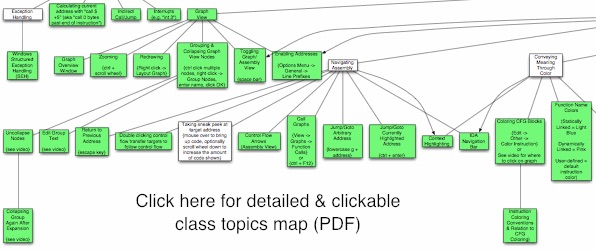
03-17-2013 - Made fine-grain class map more prominent
07-08-2012 - Day 2 videos uploaded to YouTube, & both days uploaded to Archive.org
07-01-2012 - Day 1 videos uploaded to YouTube
01-27-2012 - Created some 'missing' content, fixed a few flaws, and added a write-up for the last task
06-16-2011 - Initial class content upload
If you have used and modified this material, we would appreciate it if you submit your modified version for publishing here, so that all versions can benefit from your changes.